Stable Diffusion 執行要求獨立顯卡至少要有 6GB VRAM 的 GPU,如果是只有 4GB VRAM 安裝過程錯誤而產生中斷,可以用以下的方法解決。不過還是建議使用 6G 以上 VRAM 的 GPU,否則勉強進入執行,速度也是很慢沒有效率
一、顯示卡驅動程式太舊,安裝時中斷
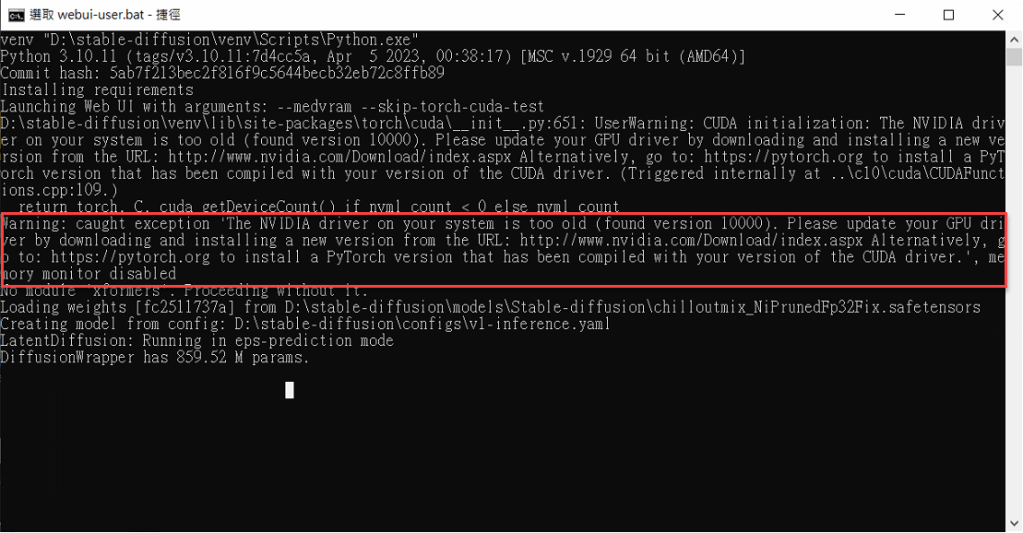
安裝 SD 時出現以下的錯誤訊息,表示顯示卡的驅動程式太舊,
解決方法:請到顯示卡的官網下載最新驅動程式,並且安裝後重新開機,再執行 webui-user.bat 繼續安裝。
Warning: caught exception ‘The NVIDIA driver on your system is too old (found version 10000). Please update your GPU driver by downloading and installing a new version from the URL: http://www.nvidia.com/Download/index.aspx Alternatively, go to: https://pytorch.org to install a PyTorch version that has been compiled with your version of the CUDA driver.’, memory monitor disabled
二、使用 4G VRAM 以下的獨立顯卡安裝時,出現錯誤無法安裝
安裝 SD 時出現以下的錯誤訊息,表示顯示卡的 VRAM 太小
Command: "C:\Stable-Diffusion\venv\Scripts\python.exe" -c "import torch; assert torch.cuda.is_available(), 'Torch is not able to use GPU; add --skip-torch-cuda-test to COMMANDLINE_ARGS variable to disable this check'"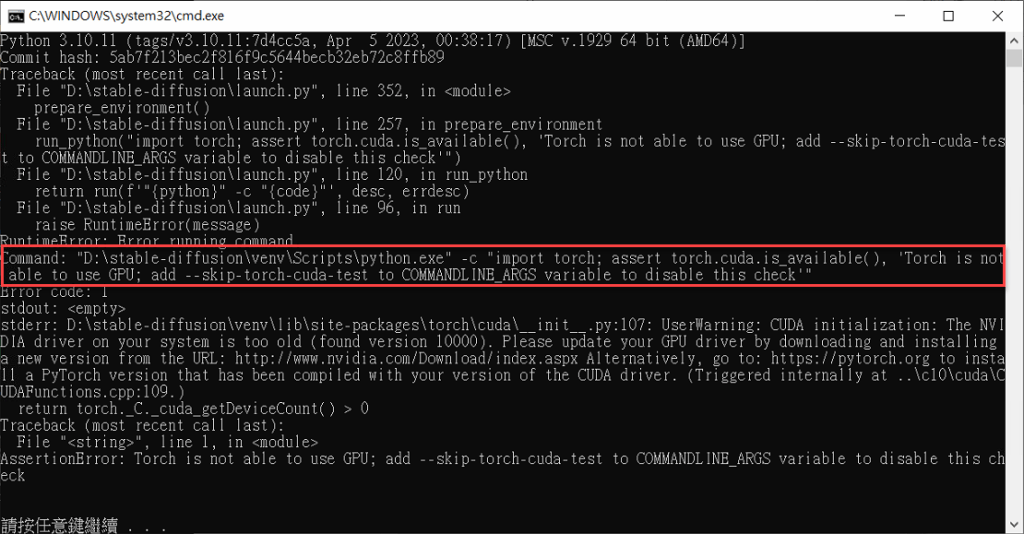
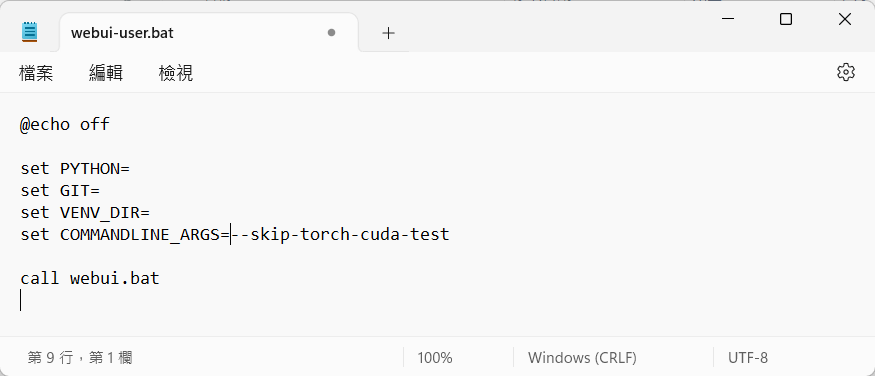
解決方法:請編輯 Stable-diffusion 目錄下面的 webui-user.bat ,在內文加上
set COMMANDLINE_ARGS= –no-half –skip-torch-cuda-test
 星方向 Guide Star 數位學院